Published August 22, 2023 · Updated October 2026.
Fleet managers have plenty of data to work with. The challenge is knowing which numbers deserve attention and what to do when they change. Tracking dozens of metrics without a clear purpose buries the problems you need to see. A focused set of key performance indicators (KPIs), reviewed regularly against a baseline, surfaces rising costs and operational issues while they’re still small.
Those numbers matter even more as operating costs rise. The American Transportation Research Institute (ATRI) reported that the average cost to operate a truck reached $2.336 per mile in 2025. The right KPIs help you understand where your own fleet’s money goes and where there’s room to improve.
Here are eight useful metrics to track, how to calculate them, and what to look for in the results.
Table of Contents
Cost per mile brings together fuel, maintenance, labor, insurance, equipment and tolls in one figure. Break it down by vehicle, route or customer, and you can see where operating costs are highest and whether the work is paying for itself..
How to calculate: Total operating costs ÷ total miles driven over the same period.
ATRI’s 2025 data puts driver wages and benefits at about 44% of operating cost per mile, fuel at 20.6%, truck and trailer payments at 17.3%, and repair and maintenance at roughly 9.2%. Those figures reflect the trucking industry; a municipal fleet or a service-truck operation will have a different cost mix. What matters most is tracking your own costs over time and comparing vehicles doing similar work. That makes it easier to spot the units pushing your average up.
IntelliHub includes more than 60 built-in reports by fleet, vehicle and driver, helping you track mileage and compare performance without building reports from scratch.
Fuel averaged 48.2 cents per mile in ATRI’s 2025 data, making it one of the largest operating expenses for trucking fleets. Even a modest improvement in fuel economy can add up across dozens or hundreds of vehicles.
How to calculate: Miles driven ÷ gallons consumed, measured in miles per gallon (MPG). Track results by vehicle and, where appropriate, by driver. Compare similar vehicles rather than using one benchmark for everything; a box truck and a pickup won’t have the same fuel economy.

A drop in MPG can point to speeding, hard acceleration, excess idling, underinflated tires or inefficient routes. GPS and engine data help narrow down the cause instead of treating every decline as a driver issue. IntelliHub pairs fuel card data from providers including WEX and Comdata with vehicle mileage, which also simplifies IFTA reporting. For operations with multiple stops, Route Matrix plans routes that cut unnecessary mileage.
Before replacing a vehicle with an EV, assess whether the fleet is right-sized for the work being done. A smaller vehicle, shared vehicle, or eliminated trip may reduce costs more than simply switching the existing vehicle to electric.
An idling engine burns fuel without adding miles to the odometer. According to Argonne National Laboratory, a heavy-duty truck burns about 0.8 gallons of fuel per hour at idle. A typical long-haul truck idles roughly 1,800 hours a year, using around 1,500 gallons. Those extra engine hours also pull maintenance intervals forward.
How to calculate: Idle hours ÷ total engine-on hours × 100. Track by vehicle and, where useful, by driver.
Not all idling is avoidable. Some vehicles need to run while stationary to power PTO equipment or remain ready for an emergency response. Account for those differences when setting thresholds, so reports distinguish necessary engine use from excessive idling. IntelliHub driver scorecards show idling alongside speeding and harsh driving events, so you can see which drivers and vehicles account for it.
Repair and maintenance costs rose 8.6% in ATRI’s 2025 data, more than twice the 3.4% increase in overall operating costs. Unplanned repairs add towing, rush parts and lost work time to the bill.
How to calculate: Total maintenance and repair spend ÷ miles driven, calculated for each vehicle. Track preventive maintenance (PM) compliance as well: PMs completed on time ÷ PMs due.
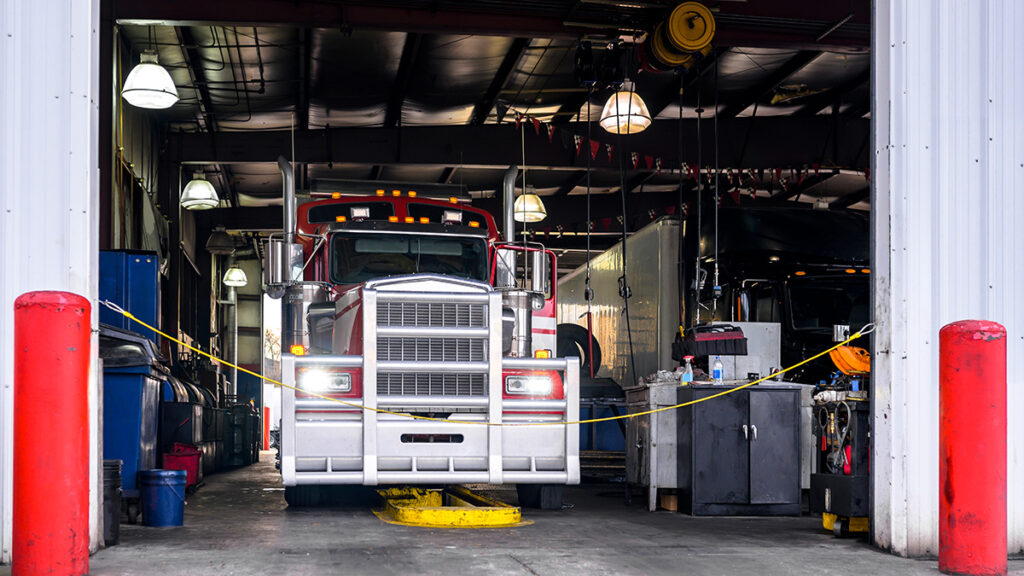
PM compliance is the early warning. When scheduled service falls behind, breakdowns and higher repair costs tend to follow.
Vehicle age adds context. Older vehicles often cost more to maintain, but age alone doesn’t tell you when to replace one. A van on a demanding stop-and-go route may wear out sooner than a similar vehicle with lighter use. Government and municipal fleets often follow fixed replacement schedules that don’t reflect how each vehicle is actually performing. Comparing age, maintenance cost per mile and vehicle use shows which units deserve a closer look when replacement budgets are limited.
IntelliHub maintenance tracking schedules service by mileage, engine hours or date. A direct ECM connection can send check-engine alerts with diagnostic trouble code descriptions, while repair records help you compare costs by vehicle and category. Digital DVIRs let drivers submit defects and photos from their devices, so maintenance teams get alerts in real time.
When a vehicle is in the shop, the repair bill is only part of the cost. Missed deliveries or service calls, replacement vehicles, overtime and delays all add to it.
How to calculate: Downtime rate = hours out of service ÷ total scheduled operating hours. Downtime cost = (daily revenue or service value per vehicle + replacement and labor costs) × days out of service.
Separate scheduled downtime from unscheduled downtime. Planned maintenance can often be arranged around operating hours or quieter periods. Unexpected breakdowns force you to reshuffle vehicles, crews and schedules on short notice.
Maintenance data cuts down on those surprises. Fault codes, service history and inspection reports often surface problems early enough to fix them in the shop instead of on the side of the road.
Waiting for crashes or insurance claims to measure fleet safety means missing opportunities to address risky behavior earlier. Tracking safety events surfaces patterns such as repeated speeding, hard braking or distraction while they can still be corrected.
How to calculate: Total safety events (including speeding, harsh braking, harsh acceleration, hard cornering and camera-detected events) ÷ miles driven × 1,000. Adjusting for mileage makes comparisons fairer between drivers who cover very different distances.
Speeding deserves particular attention. NHTSA reported that speeding-related crashes accounted for 29% of all U.S. traffic fatalities in 2023. Close calls are worth reviewing, too. A hard-braking event paired with video can show what happened and why.
Telematics data shows what the vehicle was doing; video shows why. FleetCam AI cameras detect road risks such as following too closely, forward collisions, and lane departures, as well as in-cab behaviors such as phone use, distraction, and driver fatigue. Event clips are tagged with vehicle data, including GPS location, time, and speed. That footage provides a record of what happened when a driver is involved in a crash, including evidence when the driver wasn’t at fault.
DriveShield turns safety events into coaching, with self-coaching tools and trend analytics that let drivers review their own patterns and work on improvements.
Crash counts alone don’t tell the whole story. A fleet that drives twice as many miles has more exposure to risk, so it’s useful to track crashes against total mileage and distinguish preventable incidents from other crashes.
FMCSA’s 2025 crash cost methodology estimates the average total economic cost of a crash involving a large truck or bus at $49,261 for property damage only, $330,946 for a crash involving injuries and more than $15.2 million for a fatal crash, in 2023 dollars. These estimates include societal costs, such as lost productivity and quality of life, rather than just the carrier’s direct expenses. Even so, they show how much is at stake in a single serious crash.
How to calculate: Crash rate = number of crashes ÷ miles driven × 1,000,000. Track preventable crashes separately to help evaluate safety practices and coaching.
Compliance belongs on the same dashboard. Useful measures include hours-of-service (HOS) violations per driver, driver vehicle inspection report (DVIR) completion rate and roadside inspection results. For FMCSA-regulated carriers, HOS violations and roadside inspection results feed directly into Compliance, Safety, Accountability (CSA) scores.
Field Warrior, an FMCSA-registered ELD, automates HOS logging and digital DVIRs, so compliance records are captured as drivers work.
Vehicles and equipment cost money whether they’re working or sitting in a yard. Payments, insurance, registration and depreciation continue even when an asset is rarely used. Utilization data tells you whether to redeploy, share, replace or sell underused equipment.
How to calculate: Hours or days in use ÷ hours or days available. Set targets by asset type; a reserve ambulance, for example, will have a different utilization pattern from a delivery van.

Utilization also helps answer whether each vehicle is suited to the work. An inspector who drives 40 miles a day may not need a three-quarter-ton pickup. A box truck that regularly runs local routes half-empty may be larger than the job requires. Compare the vehicle’s intended use with actual trip data, including daily mileage, stops, time on site and load.
For government and municipal fleets, that review often turns up vehicles that can be shared or reassigned before buying replacements. It also gives you a data-backed starting point for future purchases, including electric vehicles.
The same approach applies to equipment that doesn’t carry a driver. Trailers, generators, light towers, containers and other assets can be difficult to track, particularly when they have no engine. IntelliHub asset tracking covers powered and unpowered assets, giving you location and usage data to find equipment that’s sitting idle and plan maintenance around actual use.
You don’t need to start by tracking all eight metrics. Choose three or four that relate to your biggest costs or operational risks, then collect 90 days of data to establish a baseline. Set targets once you understand how your own fleet performs, and compare vehicles doing similar work rather than relying too heavily on industry averages.
Review safety events weekly and costs and utilization monthly, adjusting the schedule to fit your operation. Share relevant driver-level results with drivers, too. Scorecards are most useful when they help people understand what needs to change and how they’re doing over time.
Book a demo to see how IntelliHub and FleetCam put the data behind these KPIs in one browser-based platform.
Recent Posts
Categories
Stay in Touch


Ready to make fleet management more manageable?