View live updates of vehicle and driver information like current location, ignition status, driver duty status, and more.
Look back at a vehicle’s activity to see exactly where it was and where it was going at any moment in time.
See your entire fleet at once with every vehicle and asset on a map within the mobile fleet management app. Make it your own with dozens of icon and color combinations.
Check the status of a vehicle’s scheduled and remaining stops for the day.
Message your drivers from anywhere to let them know about new stops, services or maintenance needed, changes to their route, or anything else.
Quickly find drivers that are closest to a location by simply dropping a pin onto the map.
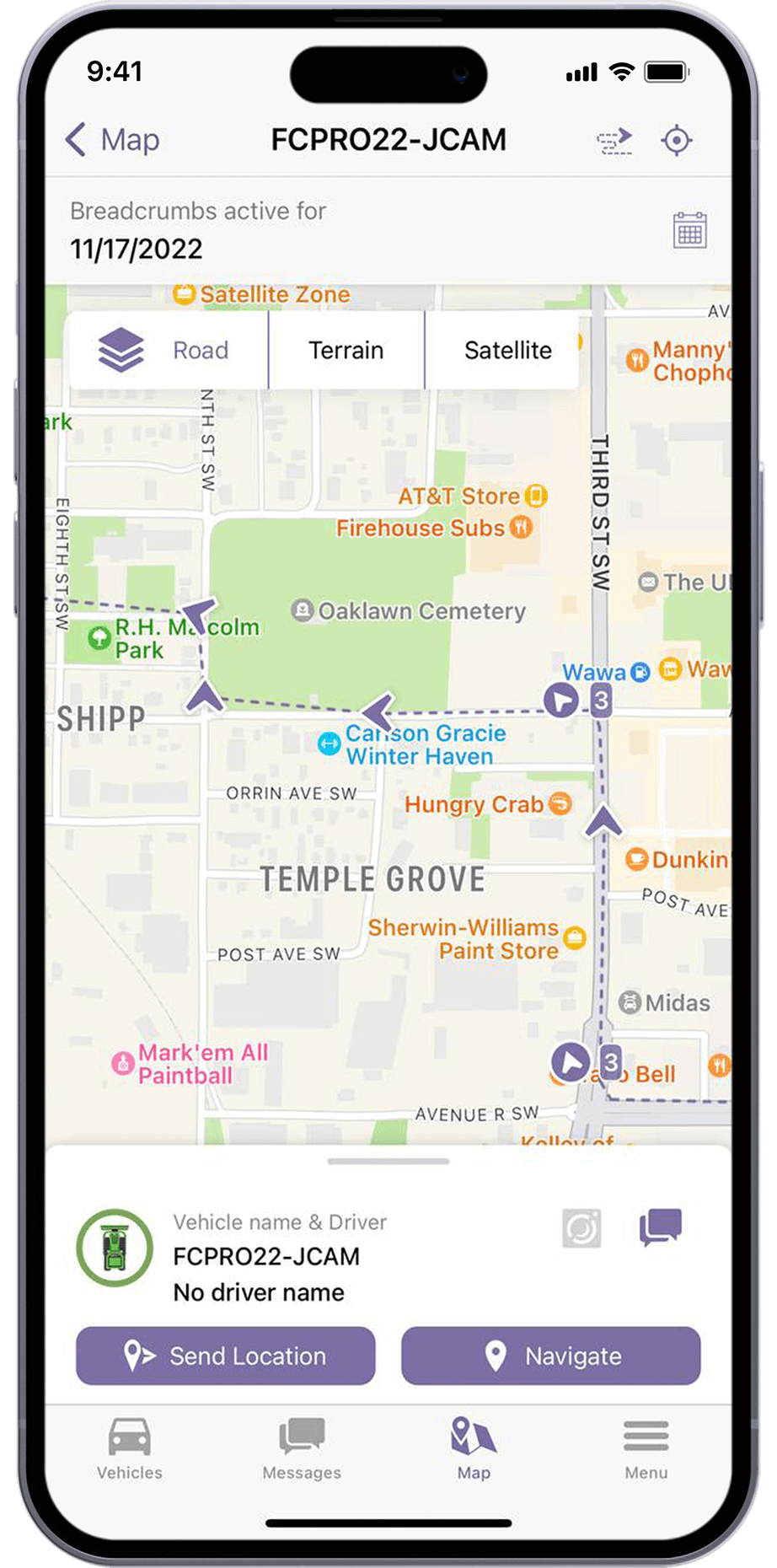


Managing a large fleet with hundreds of vehicles? No problem. With the Monarch® mobile fleet app you can filter by facility and color, or search for specific vehicles and drivers by name. Quickly find what you’re looking for without scrolling through an endless list of vehicles.

Monarch is FTS's mobile fleet management app for managers and supervisors who need visibility on the go. Instead of being tethered to a desktop to check vehicle locations, review alerts, or communicate with drivers, you get the essential fleet management tools in your pocket — on iOS or Android.
Monarch is optimized for mobile-first workflows: quick location checks on your entire fleet, live camera streaming from FleetCam-equipped vehicles, one-tap driver messaging, real-time map views, vehicle and stop-status lookups, and access to the same core fleet data managers use in IntelliHub. It's built for the supervisor who needs to check on a driver or pull up a live camera feed at 7 AM from a parking lot, not someone building a quarterly report.
Yes. Monarch is available on both the Apple App Store and Google Play. It syncs directly with your IntelliHub account — same vehicles, same drivers, same alerts — just in a mobile-friendly interface.
Yes. Monarch shows your fleet on a live map and mirrors the underlying telematics data available in IntelliHub. Update frequency depends on the device configuration and hardware setup behind the vehicle or asset. Tap any vehicle to see current speed, driver, ignition status, and activity history.
Yes. Monarch can push alerts and notifications to your phone so you are not stuck waiting to get back to a desktop. It gives managers live fleet status, quick vehicle monitoring, and fast access to the information needed to respond when something changes in the field. You can check vehicles, review activity, and communicate with drivers from the app without having to log into the full desktop platform first.
Monarch requires an internet connection for live data. However, recently cached map data and vehicle histories remain viewable for reference when connectivity is limited. Areas with poor coverage are a known fleet challenge — FTS can advise on hardware and connectivity options for specific operating environments.
Ready to make fleet management more manageable?